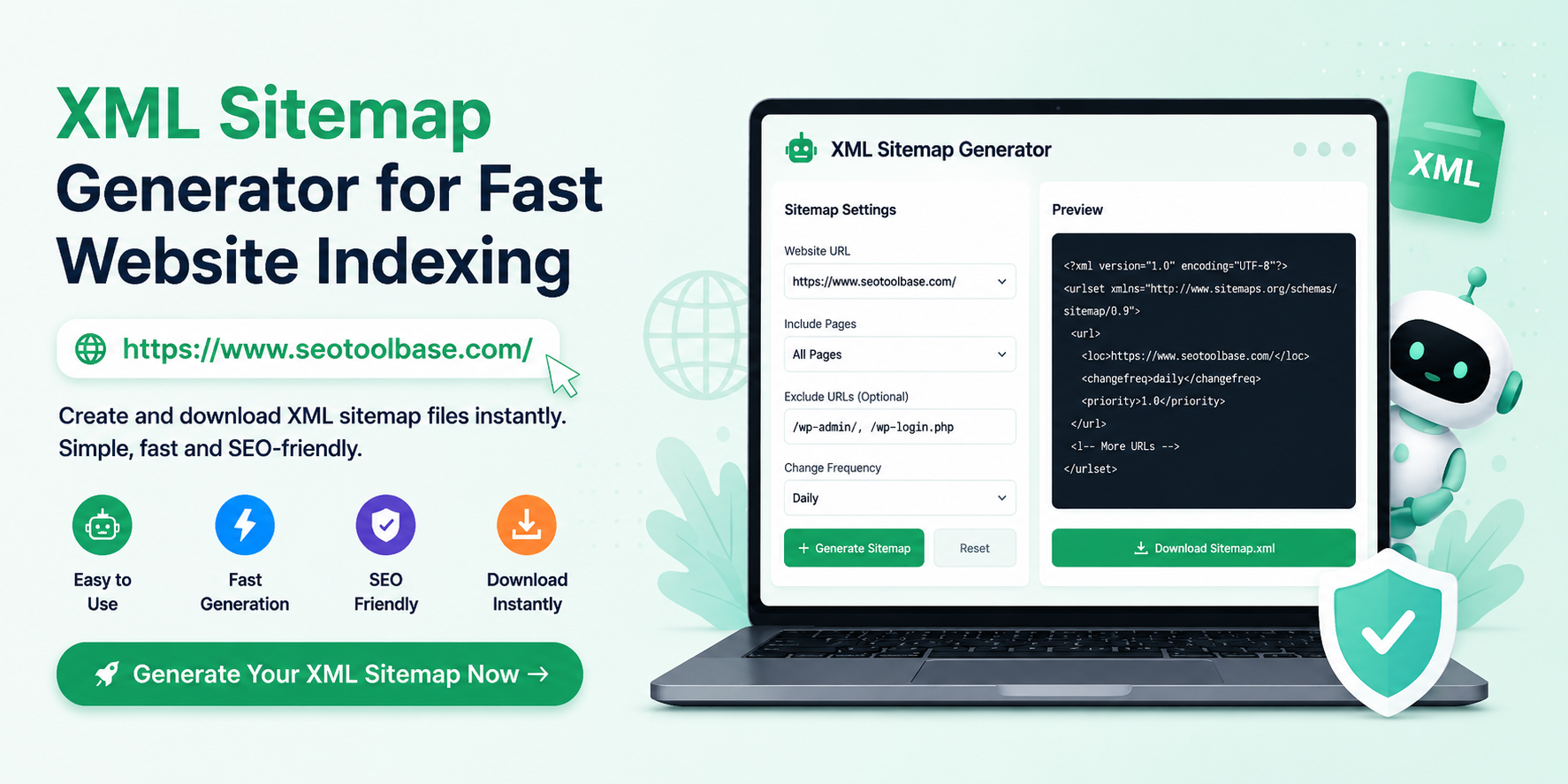
If your website pages are not showing up on Google, the problem might not be your content- it could be that search engines simply cannot find them. An XML sitemap generator solves this problem instantly. Whether you run a blog, an e-commerce store, or a business website, generating a proper sitemap.xml file is one of the most important technical SEO steps you can take.
In this complete guide, you will learn what an XML sitemap is, why it matters, and how to use a free online sitemap generator to get your website fully indexed by Google and Bing — without writing a single line of code.
What Is an XML Sitemap?
An XML sitemap is a structured file that lists all the important URLs on your website, along with helpful metadata such as when each page was last updated, how often it changes, and its relative priority compared to other pages.
Search engine crawlers like Googlebot read this file to understand your website’s structure, discover new pages faster, and index your content more accurately. In short, your sitemap.xml acts as a roadmap for search engines — guiding them straight to every page you want ranked.
XML Sitemap vs HTML Sitemap: Key Differences
| Feature | XML Sitemap | HTML Sitemap |
| Audience | Search engine crawlers | Human visitors |
| Format | Machine-readable XML | Human-readable web page |
| Purpose | Helps Google index pages | Helps users navigate the site |
| Required for SEO? | Yes, highly recommended | Optional |
Both types serve a purpose, but for SEO, the XML sitemap is non-negotiable.
Why You Need a Free XML Sitemap Generator
Creating an XML sitemap manually is tedious and error-prone. A single formatting mistake can render the entire file invalid. That is why using a reliable free XML sitemap generator like the one available at SEOToolBase is the smartest approach.
Here is why website owners, SEO professionals, and developers trust online sitemap tools:
- No coding required — generate a valid sitemap.xml in seconds
- No software installation — works entirely in your browser
- 100% free — no hidden fees, no sign-up walls
- Google & Bing compatible — outputs meet the official sitemaps.org protocol
- Supports large websites — handles thousands of URLs with ease
Whether you have a personal blog or a large corporate site with hundreds of pages, a free website sitemap generator removes all the complexity and lets you focus on what matters — your content.
How a Website Sitemap Generator Works
Understanding the process helps you get the most out of any sitemap generator tool. Here is what happens behind the scenes:
Step 1. Enter Your Website URL
You provide your website’s domain or paste a list of URLs into the tool. The generator scans your pages or accepts your manual input.
Step 2. Configure Priority and Change Frequency
Each URL in a sitemap can carry optional metadata:
- <priority> — A score from 0.0 to 1.0 indicating the relative importance of a page (e.g., your homepage might be 1.0, blog posts 0.8)
- <changefreq> — How often the page is likely to change (daily, weekly, monthly)
- <lastmod> — The date the page was last modified
These settings help Google understand which pages to crawl more frequently.
Step 3. Generate and Download Your Sitemap.xml
Once configured, the tool produces a clean, standards-compliant XML file. You simply download it and upload it to the root directory of your website, making it accessible at yourdomain.com/sitemap.xml.
Step 4. Submit to Google Search Console
After uploading, log in to Google Search Console, navigate to the Sitemaps section, and submit your sitemap URL. Google will begin crawling and indexing your pages almost immediately.
How to Use SEOToolBase to Generate XML Sitemap Online
SEOToolBase offers a powerful, beginner-friendly online sitemap generator that takes just minutes to use. Here is a quick walkthrough:
- Visit the XML Sitemap Generator tool on SEOToolBase
- Enter your website URL or paste your list of page URLs
- Set your preferred changefreq and priority values for each URL
- Click Generate Sitemap
- Download your ready-to-use sitemap.xml file
- Upload the file to your website’s root folder
- Submit the sitemap URL to Google Search Console and Bing Webmaster Tools
No plugins. No coding. No confusion. Just a clean, valid XML sitemap in under two minutes.
What Makes a Great Sitemap XML Generator?
Not all sitemap tools are built the same. Here is what to look for when choosing the best sitemap.xml generator for your needs:
W3C-Compliant XML Output
The generated file should strictly follow the sitemaps.org protocol. Every entry must include the tag and optionally the , , and tags — all properly formatted.
Support for Large Websites
The official protocol limits a single XML sitemap file to 50,000 URLs and a maximum size of 50MB. A good create xml sitemap free online tool should automatically split large sitemaps into multiple files and generate a sitemap index file to reference them all — something you can then submit in one go to Google Search Console.
Image Sitemap Support
If your website uses images for products, portfolios, or blog content, image sitemaps help Google index your visuals. Look for a Google sitemap generator that supports image:loc and image:title tags.
No Registration Required
The best tools ask nothing of you. A truly free sitemap generator should work without creating an account, entering a credit card, or sitting through a tutorial.
Fast and Mobile-Friendly
A quality generate xml sitemap online tool should load and process quickly, even on mobile devices, so you can manage your SEO on the go.
XML Sitemap Generator vs WordPress Plugins: Which Is Better?
Many website owners wonder whether to use a plugin like Yoast SEO or RankMath, or stick with a standalone online sitemap generator. Here is how to think about it:
Use a Plugin When:
- You are running WordPress and want automated sitemap updates every time you publish new content
- You need deep integration with post types, categories, and tags
- You want your sitemap to update in real time without manual effort
Use an Online Sitemap Generator Tool When:
- You are on a non-WordPress platform (Shopify, Wix, custom-built sites, static HTML)
- Your plugin is broken or generating errors
- You need a quick one-time sitemap for a new domain
- You want full control over which URLs are included without plugin overhead
For flat-file websites, HTML sites, or any platform where plugins are not an option, a free xml sitemap generator online is the fastest and most reliable solution.
Common XML Sitemap Errors and How to Fix Them
Even after using a create xml sitemap tool, some errors can appear in Google Search Console. Here are the most common ones and how to resolve them:
Sitemap Not Found (404 Error)
This means your sitemap.xml file was not uploaded to the correct location. Make sure the file is in your website’s root directory, accessible at https://yourdomain.com/sitemap.xml.
URLs Blocked by Robots.txt
If your robots.txt file disallows crawlers from accessing certain pages, those pages will not get indexed even if they are listed in your sitemap. You can use a Robots.txt Validator to check for conflicts — and if your file needs updating, a Robots.txt Generator can help you build the correct rules without guessing.
Sitemap Exceeds 50,000 URLs or 50MB Limit
Large websites need a sitemap index file that references multiple individual sitemaps (e.g., sitemap-pages.xml, sitemap-blog.xml, sitemap-products.xml). Submit the index file to Search Console rather than individual sitemaps.
Invalid XML Formatting
If even one tag is malformed, the entire sitemap becomes invalid. Always use a trusted sitemap generator tool to avoid hand-coding errors.
Incorrect Last Modified Dates
Inaccurate <lastmod> dates confuse crawlers and slow down indexing. Only use real modification dates that reflect when the page content actually changed.
Advanced Tips for Optimizing Your Sitemap.xml
Getting your sitemap submitted is just the start. These tips will help you squeeze more SEO value from your setup:
1. Exclude Thin and Duplicate Content
Do not include tag pages, archive pages, search results pages, or any URL with thin content. Including them wastes crawl budget and can lead to duplicate content penalties. Mark these pages as noindex in your robots.txt settings — or use a Robots.txt Generator to configure this properly.
2. Keep Your Sitemap Updated
Every time you add, remove, or significantly update a page, regenerate and re-upload your sitemap. Some Content Management Systems do this automatically, but for static sites, revisiting your website sitemap generator periodically is essential.
3. Use Accurate Priority Values
Reserve a priority of 1.0 for your homepage only. Use 0.8 for important product or service pages, 0.6 for blog posts, and 0.4 or lower for supporting pages. Do not set every page to 1.0 — search engines ignore inflated priorities.
4. Submit to All Major Search Engines
Do not limit yourself to Google. Submit your sitemap to Bing Webmaster Tools as well, which simultaneously powers Yahoo search. Some tools also allow submission to Yandex for Russian-language markets.
5. Reference Your Sitemap in Robots.txt
Add this line to your robots.txt file to help search engines discover your sitemap automatically:
Sitemap: https://yourdomain.com/sitemap.xmlThis is especially useful for new websites that have not yet been submitted manually to any search engine. If you need help building or validating your file, use a Robots.txt Validator to confirm everything is formatted correctly before going live.
Other Free SEO Tools to Use Alongside Your Sitemap
A sitemap is just one piece of the technical SEO puzzle. To build a truly optimized website, consider these complementary tools — many of which are available free of charge:
- Robots.txt Generator — Create a properly formatted robots.txt file to guide crawlers through your site
- Robots.txt Validator — Check your existing robots.txt for errors before they block your pages
- Grammar Checker — Ensure your content is error-free and professional before publishing
- Plagiarism Checker — Verify your content is 100% original and won’t be penalized for duplication
- JPG to PNG Converter — Optimize images for web use before adding them to your pages
- JPG to PDF Converter — Convert image files for easy sharing in reports or documentation
- .htaccess File Generator — Set up redirects, URL rewrites, and access rules without touching server code manually
- Unit Converter Online — Handy for content involving measurements, especially for e-commerce or technical blogs
Using these tools together gives you a complete SEO workflow — from technical setup to content quality.
How to Submit Your XML Sitemap to Google Search Console
Once your sitemap is live at yourdomain.com/sitemap.xml, follow these steps to notify Google:
- Open Google Search Console
- Select your property (website)
- In the left menu, click Sitemaps
- In the “Add a new sitemap” box, type sitemap.xml
- Click Submit
- Wait for Google to process the file (usually a few minutes to a few hours)
You will see a confirmation showing how many URLs were submitted and how many have been indexed. If there are errors, Google Search Console will flag them clearly.
Final Thoughts
An XML sitemap is one of the simplest, highest-impact things you can do for your website’s SEO. It ensures search engines can find every page you want indexed, crawl your content efficiently, and keep up with your latest updates.
Using a reliable online sitemap generator removes all the technical complexity. You do not need to understand XML syntax, configure servers, or install plugins. Just enter your URLs, click generate, download your file, and submit it to Google.SEOToolBase makes this process effortless with its free, fast, and fully featured sitemap generator tool — no sign-up required, no limits, and no cost. Pair it with the suite of other free tools on the platform — from the Robots.txt Generator to the Grammar Checker and Plagiarism Checker — and you have everything you need to build a technically sound, search-engine-ready website.
Frequently Asked Questions:-
Do I need a sitemap if my website is small?
Yes. Even a 5-page website benefits from a sitemap. It tells Google exactly which pages to index and speeds up the process significantly, especially for new domains.
How often should I regenerate my sitemap?
Regenerate your sitemap whenever you add new pages, remove old ones, or make significant content changes. For active blogs, this could be weekly. For static sites, once a month is usually sufficient.
Is a free xml sitemap generator safe to use?
Yes, as long as you use a reputable tool. A trustworthy free website sitemap generator processes your data without storing your URLs or sharing them with third parties.
Can I have multiple sitemaps?
Absolutely. Large websites often use a sitemap index file that links to separate sitemaps for products, blog posts, categories, and images. This keeps each file under the 50,000 URL and 50MB limits.
What is the difference between changefreq and lastmod?
changefreq is a hint to crawlers about how often content changes (always, hourly, daily, weekly, monthly, yearly, never). lastmod is the actual timestamp of the last modification. Google primarily uses lastmod and largely ignores changefreq, so always ensure your last modified dates are accurate.
Does having a sitemap guarantee Google will index all my pages?
No. A sitemap tells Google where your pages are, but Google still decides which pages to index based on quality, relevance, and crawl budget. Pages with thin content, duplicate content, or noindex tags will still be excluded.